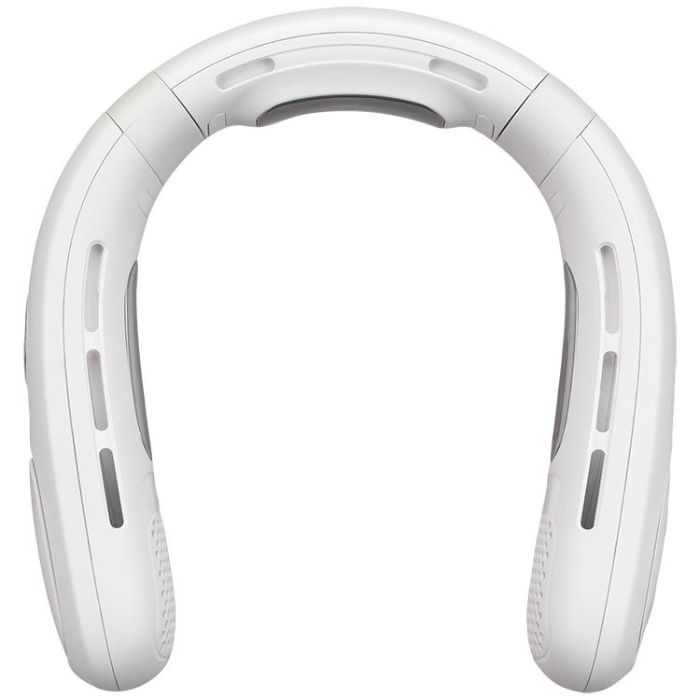
This portable neck fan from GPX has a twin turbine design with a brushless motor for effective cooling with minimal noise. Five fan speeds and an optional cooling plate offer a wide range of warm weather relief. The rechargeable battery lasts for up to 15 hours of use.
This portable neck fan from GPX has a twin turbine design with a brushless motor for effective cooling with minimal noise. Five fan speeds and an optional cooling plate offer a wide range of warm weather relief. The rechargeable battery lasts for up to 15 hours of use.
FEATURES:
Twin turbine design
Brushless motor for efficiency and quiet operation
Electronic cooling plate for added refreshment
Lightweight for extended wear
5 speeds: low, medium-low, medium, medium-high, high
Controls: power off/fan speed/display battery level, cold plate on/off
Cooling plate on/off
USB-C port for battery recharge
LED digital display shows speed setting and battery level
LED display: 0.6"L x 0.31"H
Fan speed rpm:
4800rpm/low speed
5100rpm/medium-low speed
5600rpm/medium speed
6200rpm/medium-high speed
6950rpm/high speed
DC battery power: built-in rechargeable lithium ion battery
Battery life with fan only: ~15 hours on low speed
Battery life with fan only: ~12.5 hours on medium-low speed
Battery life with fan only: ~10.1 hours on medium speed
Battery life with fan only: ~8.2 hours on medium-high speed
Battery life with fan only: ~5 hours on high speed
Battery life with fan and cooling plate on: ~180 minutes on low speed
Battery life with fan and cooling plate on: ~167 minutes on medium-low speed
Battery life with fan and cooling plate on: ~155 minutes on medium speed
Battery life with fan and cooling plate on: ~142 minutes on medium-high speed
Battery life with fan and cooling plate on: ~130 minutes on high speed
Charge time: 5 hours
Product Dimensions: 7.68 x 7.87 x 2.01
INCLUDES:
USB-C cable
How do I charge the neck fan?
Use the included USB-C to USB charging cable. Connect the USB end to a powered computer or a USB power adapter (not included), and the USB-C end to the fan. Charging takes approximately 5 hours.
Can I use the fan while it’s charging?
No. The fan cannot operate while plugged in and charging.
How do I turn the fan on and off?
Press the Power and Fan Speed button to turn the fan on. Continue pressing the button to cycle through all fan speeds. After the fifth speed, the sixth press turns the fan off.
What fan speeds are available?
The fan has 5 speeds:
Low
Light
Medium
High
Strong
How do I check the battery level?
When the fan is on, press the Power and Fan Speed button twice to display the current battery percentage on the LED screen
What do the LED display symbols mean?
Gear 1–5: Current fan speed
Power % (1–100): Remaining battery level
Flashing Power %: Battery is charging
Solid Power %: Fully charged
How do I use the cooling plate?
Press and hold the Cooling Plate On/Off button to activate or deactivate the cooling plate feature.
How do I clean the fan?
Make sure the fan is powered off
Wipe the surface and air vents with a dry cloth only
Do not use water or liquid cleaners, as they may damage the motor
How should I store the fan when not in use?
Store it in a cool, dry place. For long-term storage: