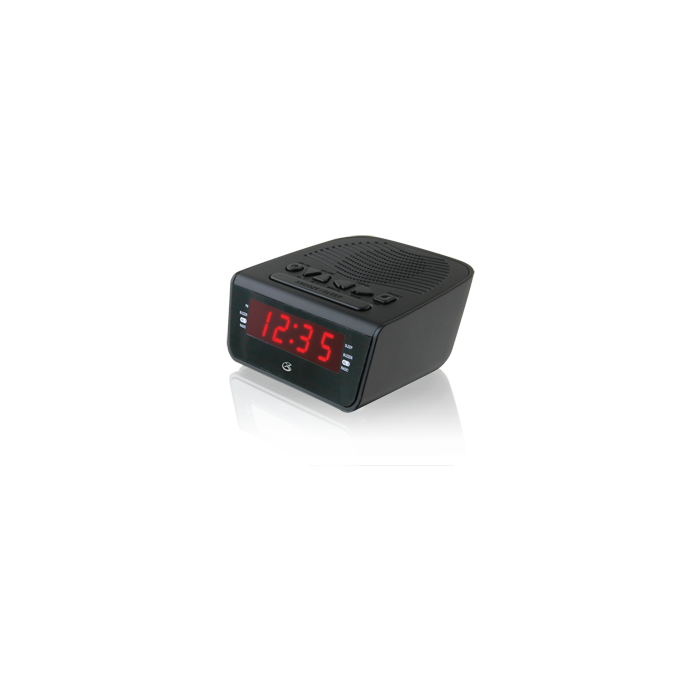
Dual alarms are perfect for couples or weekend alarms. Wake to radio or buzzer. Listen to music, news, weather, and traffic with the AM/FM radio. Program your favorite stations to memory for quick and easy recall.
Digital AM/FM radio (PLL)
Dual alarm
0.6" red LED display
Station memory presets (10 FM, 10 AM)
Last user's setting memory
Digital volume control
Digital clock
Wake to radio or alarm
Snooze and sleep function
Built-in speaker
AC power input: requires AC/DC power adapter (included)
Battery backup: requires 2 AA batteries (not included)
Dimensions: 5.12 x 4.8 x 2.01
How do I set the time?
Press and hold the Preset/Clock button until the display begins flashing.
Press the Hour and Minute buttons to adjust the time. The PM indicator will light when the hour is set in the PM.
Press the Preset/Clock button again to finish, or wait for the display to stop flashing.
How do I set the Alarm?
In off mode, press the AL1 or AL2 buttons to set Alarm 1 or Alarm 2.
The screen will flash and display the time the alarm is set to go off. Press the Hour and Minute buttons to set the desired time. Note the PM indicator.
Press the Al1 or Al2 buttons repeatedly to switch between Radio, Buzzer or off. Wait for the display to stop flashing.
Once the set alarm time is reached, the alarm will sound. Press the Power button to turn the alarm off until the set alarm time is reached again.
To set the other alarm, follow the above steps and choose the alarm not currently set.
How do I turn off/cancel the Alarm completely?
In off mode, Press the AL1 or AL2 buttons repeatedly to switch between Radio, Buzzer and then OFF. Wait for the display to stop flashing. Now your alarm is off completely until you set again.
How do I stop the ":" from blinking?
On digital clocks that display hours and minutes, the blinking colon “:” is the seconds indicator. This feature is not unique to our units; this applies to all digital clocks that display hours and minutes. The colon shows and counts the seconds. Otherwise there won’t be any seconds indicator.