Does this DVD player support HDMI?
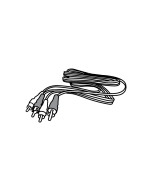
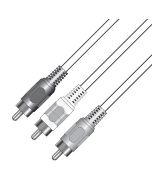
No! This DVD player has connections for Component Video Output, Composite Video Output, RCA Stereo Audio Outputs, and Coaxial Digital Audio Output.
I have connected my DVD player, but there is no picture?
- Confirm that the TV's selected input and the input the DVD is connected to are one in the same.
- Check you television menu an make sure all inputs are activated
- Press the "Video" Button on the DVD remote to cycle DVD video output options; wait 5 seconds between each button press.
- Press the "N/P" Button on the DVD remote to toggle between ATSC, PAL and AUTO, wait 5 seconds between each button press.
- Test with a store purchased DVD disc; a burn DVD may have not been finalized properly
I can see picture, but no sound from my DVD player?
- Check that you have connected the audio output of the DVD player to the correct audio input of the TV or audio amplifier or receiver.
- Press Volume up on the DVD remote to adjust maximum volume.
- Press the audio button on the remote to toggle available audio tracks
My DVD player has stopped responding to commands and will not power ON?
Static electricity may be to cause. Please disconnect your player from the AC power outlet and let it sit for 5 minuets. Reconnect the power cord and then press the POWER button to power ON.
I pressed a button on my remote and now I have no picture or rolling black and white lines. What do I do?
- In most cases the N/P button was pressed, causing player to display in PAL mode. A European format many U.S televisions can not support. Causing a rolling black and white picture. Press the N/P button on the remote again to switch back to NTSB mode.
- Pressing the video button will activate progressive scan mode, if your TV can not support progressive scan this will cause erratic video reproduction. Press the video button the remote to cycle the video output settings of the DVD player.
Can this DVD player play disk from other regions?
No, this unit can only play disk recorded for region 1 (US territories and Canada)
How to set the Digital Output ?
In the SETUP MENU under audio, set SPDIF/RAW or SPDIF/PCM to activate the coaxial digital audio output connection.
SPDIF/OFF: This mode will deactivate the digital coaxial feature
SPDIF/RAW: This mode is usually used for DTS & Dolby Digital 5.1 signals.
SPDIF/PCM: This mode is usually used for audio CD signals.
It is recommended to set the SPDIF/OFF when Digital coaxial connection is not used to minimize interference