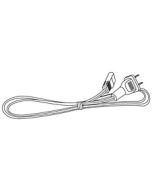
Note: When using AC/DC adapter check to make sure there are no batteries inserted in the unit.
How can I use Bluetooth?
Pairing to a Bluetooth Device and Playing Audio
After initial pairing, the unit will stay paired unless unpaired manually by the user or erased due to a reset of the device. If your device should become unpaired or if any pairing issues should occur, un-pair the unit on your Bluetooth device and follow these steps again.
1. Adjust the boombox’s Source to Aux IN/ A red light will flash on the display next to the symbol. When pairing, remain within 3 feet of the unit.
2. Using the controls on your Bluetooth device, select BCB119 from your Bluetooth settings to pair. When successfully paired, the red light on the display will turn solid and an audible chime will sound from the unit. If your device requests a password, enter the default password 0 0 0 0 . You can refer to the user’s manual for your specific device for instructions on pairing and connecting Bluetooth devices.
3. Audio played through the connected Bluetooth device should now be heard through the speakers. Use the controls on the connected Bluetooth device to select and begin playing audio. Play, pause or skip audio using the controls on the device or the boombox.
Note: After initial pairing the boombox will automatically pair to the last Bluetooth device used whenever in Bluetooth mode. If your device should become unpaired or you find it is unable to connect, press and hold the Play button to enter pairing mode. A voice will announce “Bluetooth is connecting.” You can now manually connect your device by repeating step 2.
How can I use the Radio?
Playing the FM Radio
This unit is equipped with internal FM radio antenna. To improve radio reception, adjust the position of the unit.
1. Adjust the boombox’s Source to FM mode.
2. Press the Tun+/- buttons to change stations.
3. Turn the Volume dial to adjust to the desired volume.
How can I use Aux In?
Requires a 3.5mm audio cable (not included).
1. Connect a 3.5mm audio cable to the Aux In on the unit and an audio output on a mobile phone or other audio source.
2. Adjust the boombox’s Source to Aux IN/ mode.
3. Use the controls on the connected mobile phone or other audio source to begin playing audio through the boombox.
Can I connect the boombox to another Bluetooth speaker?
No, the boombox has a Bluetooth receiver, not a transmitter. You can connect your phone to the boombox to play music wirelessly.