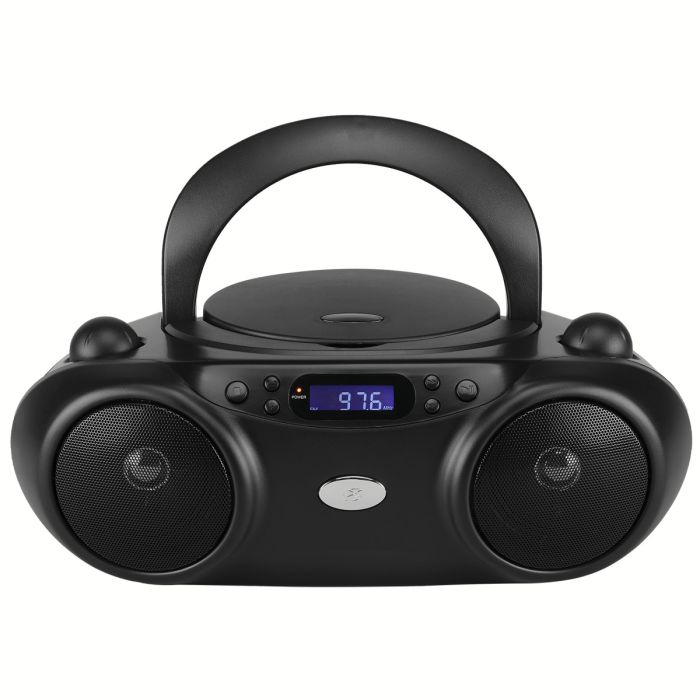
What features does the BC232 offer?
The BC232 CD/Radio Boombox includes the following features:
- CD player compatible with CD, CD-R, and CD-RW discs
- AM/FM radio
- Programmable CD tracks
- Built-in stereo speakers
- Analog volume control
- LCD display with white backlight
- Headphone jack
- AC power cord
- Battery-powered operation
Does the boombox have a headphone jack?
Yes. A headphone jack is located on the side of the unit for private listening.
Does the boombox have Bluetooth?
No. Bluetooth connectivity is not listed as a feature of the BC232.
Does the boombox have an auxiliary (AUX) input?
No, this boombox does not have an aux input.
Does the boombox have a remote control?
The user guide does not list a remote control as an included feature.
What types of CDs are compatible with the BC232?
The CD player supports:
- Standard audio CDs
- CD-R discs
- CD-RW discs
Can the boombox play MP3 CDs?
No, this boombox is only compatible with CD, CD-R/RW.
How do I play a CD?
- Open the CD door on top of the unit.
- Insert a CD with the label facing upward.
- Close the CD door.
- Move the Source Switch to CD mode.
- Press the Play/Pause button to begin playback.
How do I pause or resume CD playback?
Press the Play/Pause button to pause playback. Press it again to resume.
How do I skip between tracks?
Use the Skip/Search buttons to move between tracks on the loaded CD.
Can I search within a track?
Yes. Press and hold the Skip/Search buttons to search through the currently playing track.
How do I stop CD playback?
Press the Stop button to stop playback.
Does the BC232 support programmed CD playback?
Yes. You can program up to 20 tracks to play in a specific order.
How do I program CD tracks?
- Press Stop to stop the loaded CD.
- Press the Program button. The display will show "01" blinking.
- Use the Skip/Search buttons to select the desired track.
- Press Program to add the selected track.
- Repeat the process to program up to 20 tracks.
- Press Stop to cancel the programmed sequence.
Does the CD player have a repeat function?
Yes. The Repeat button offers two playback options:
- Press once to repeat the current track.
- Press twice to repeat the entire album.
Does the BC232 receive AM and FM radio stations?
Yes. The boombox supports both AM and FM radio.
How do I listen to the radio?
- Move the Source Switch to AM or FM mode.
- Turn the Tuning dial to select the desired radio station.
How can I improve radio reception?
The AM and FM antennas are built into the radio. To improve reception, adjust the position or orientation of the boombox.
Does the boombox have an external antenna?
The manufacturer identifies built-in AM and FM antennas. An external antenna is not listed as a feature.
How can the BC232 be powered?
The BC232 supports two power options:
- AC power: Connect the built-in AC power cord to a standard electrical outlet.
- Battery power: Install six C-size batteries (not included).
Are batteries included with the boombox?
No. Six C-size batteries are required for battery operation but are sold separately.
How long does the battery last?
This has an approximate battery life of eight hours.
Actual battery life may vary depending on usage and battery type.
How do I adjust the volume?
Turn the analog Volume dial to increase or decrease the audio level.
What does the Source Switch do?
The Source Switch selects the operating mode:
Does the boombox have an illuminated display?
Yes. The BC232 features a negative LCD display with a white backlight.