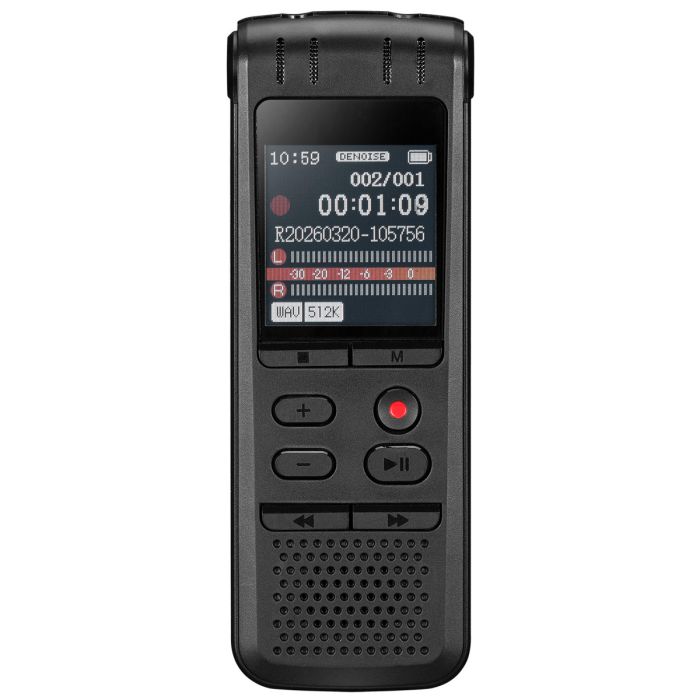
What is the storage capacity of the recorder?
The recorder includes 8GB of built-in memory.
How many hours can it record?
The recorder supports up to 75 hours of recording time, depending on recording settings and bitrate.
What audio file formats are supported?
The recorder supports:
Can I use the recorder while it is charging?
No. The recorder cannot be used while charging.
How long does it take to fully charge?
Charging takes approximately 5 hours.
What comes in the box?
Included items:
- Digital voice recorder
- USB-C to USB charging/data cable
- User’s Guide
How do I start recording?
Press the Record button once to begin recording.
How do I stop recording?
Press the Stop button to stop and save the recording.
Why did my recording fail or show an error?
Recordings shorter than 1 second may result in an error.
Does the recorder support voice-activated recording?
Yes. Voice activation can automatically begin recording when sound levels reach approximately 38 dB.
Can I schedule recordings?
Yes. The recorder includes a Timed Recording feature for scheduled recordings.
Can I reduce background noise while recording?
Yes. Enable the DeNoise setting in the Recording Settings menu.
Can I record from an external audio source?
Yes. The recorder supports recording through the Microphone/Line In jack.
How do I play a recording?
Press the Play/Pause button.
Can I fast forward or rewind recordings?
Yes. Press and hold the Previous or Next buttons during playback.
Can I repeat part of a recording?
Yes. Use A-B Repeat Mode to loop a selected section of audio.
What playback modes are available?
Available playback modes include:
- Repeat One
- Repeat All
- Shuffle
Can playback speed be adjusted?
Yes. The recorder supports Variable Speed Play.
Is there an equalizer?
Yes. Equalizer settings are available in Playback Settings.
How do I transfer recordings to a computer?
Connect the recorder to a computer using the included USB-C data cable.
Can I connect the recorder to a phone?
Yes, but the phone must support OTG (On-The-Go) functionality.
Does the included cable support data transfer?
Yes. The included USB-C cable supports both:
Can I change the recording quality?
Yes. You can adjust:
- File type
- Bitrate settings
Can I split recordings automatically?
Yes. Recording segments can be set to:
- Unlimited
- 30 minutes
- 60 minutes
- 90 minutes
Can I adjust microphone sensitivity?
Yes. Voice control sensitivity can be adjusted from 0–7.
Can I adjust recording gain?
Yes. Gain can be adjusted from 0–7.
Can I set a password on the recorder?
Yes. Password protection is available under Password Settings.
Can I change the screen brightness?
Yes. Brightness can be adjusted from levels 1–8.
Can I change the language?
Yes. Multiple on-screen language options are available.
Can I check available storage space?
Yes. Use the Disk Space option in System Settings.
Can the recorder be reset?
Yes. Insert a thin object into the hole inside the headphone jack to reset the device.
Can I restore factory settings?
Yes. Select Factory Settings in the System Settings menu.