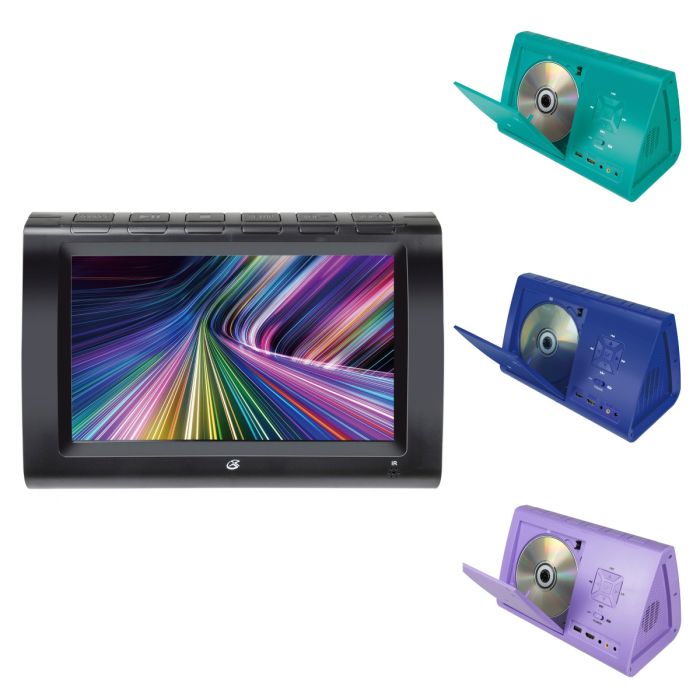
What types of discs does the PD936B support?
The player supports DVD, DVD±R/RW, CD, CD-R/RW, and JPEG CDs.
oes the player have built-in speakers?
Yes. The PD936B has built-in stereo speakers.
What is the screen resolution?
The 9" TFT LCD display has a native resolution of 1024 × 600.
What aspect ratios are supported?
The player supports 16:9, 4:3 Pan & Scan, and 4:3 Letterbox.
Can the PD936B be used with AC power?
Yes. Connect the included AC/DC adapter to the player and a standard wall outlet.
Can the DVD player be used in a car?
Yes. The included 12V DC car adapter can be connected to a standard 12V power outlet in a vehicle.
Does the PD936B have a rechargeable battery?
Yes. It has a built-in rechargeable lithium-ion polymer battery. Battery life is approximately 2 hours at 100% volume.
How do I know when the battery is charging?
The Charge Indicator turns red when the battery is charging.
What does the Power Indicator mean?
The Power Indicator turns red when the DVD player is powered on.
How do I play a DVD or CD?
Press Open/Close, place the disc in the player with the label side facing up, and close the disc door. The disc should begin playing automatically when the player is powered on. If it does not, press Play/Pause.
Can I program tracks or chapters to play in a specific order?
Yes. Press Program on the remote, select a program slot, enter the desired chapter or track numbers, and then select the on-screen Play option.
Can I skip between chapters or tracks?
Yes. The remote has Previous and Next controls for navigating chapters and tracks.
Does the player support subtitles and multiple audio languages?
Yes, when supported by the disc. The remote includes Subtitle and Audio controls.
Can I zoom in on the picture?
Yes. Press the Zoom button on the remote to zoom the display image in or out.
Can I play media from a USB drive?
Yes. Connect a USB drive to the USB port and switch the player to USB mode using the Source button.
What USB file formats are supported?
This supports AVI, JPEG, MP3, and MPEG-4 files.
How do I switch to USB mode?
Connect the USB drive, then press Source on the player or remote until USB mode is selected.
Does the PD936B support HDMI?
Yes. The player has an HDMI input for connecting compatible external devices.
Can I use a streaming stick with the PD936B?
Yes. A streaming stick can be connected to the player's HDMI or USB input. The streaming stick must have its own power source.
Does the PD936B have built-in streaming apps?
No. The PD936B does not run streaming apps itself. It displays content from a connected HDMI device such as a streaming stick, box, or computer. Streaming services, subscriptions, an internet connection, and the external streaming device are the customer's responsibility.
Is an HDMI cable included?
No. An HDMI cable is not included.
Can I connect external speakers to the DVD player?
Yes. External speakers can be connected using the included 3.5mm-to-3 RCA audio/video cable. The speakers must have their own power supply.
Can I connect headphones?
Yes. The player has a stereo headphone jack. A headphone splitter is also included.
Can I connect the player to a TV?
Yes. The included 3.5mm-to-3 RCA A/V cable can connect the player's AV output to a TV's stereo audio and composite video inputs.
What do the RCA cable colors mean?
White is the left audio channel, red is the right audio channel, and yellow is video.
What batteries does the remote require?
The remote requires 2 AAA batteries, which are included with the player.
What can the Source button do?
The Source button switches between DVD, USB, and AV In modes.
Can I turn the display off while audio continues playing?
Yes. The remote has a TFT OFF/ON button that turns the screen on or off.
What picture settings can be adjusted?
The Picture menu allows users to adjust picture mode, brightness, contrast, saturation, and sharpness.
What sound settings are available?
Sound settings include Sound Mode, Down Mix, and Dynamic Range. Sound modes include Standard, Music, Speech, and Movie.
Can I change the on-screen display language?
Yes. The on-screen display can be set to English, French, or Spanish.
Can I restore the player to its factory settings?
Yes. Select Factory Reset in the System menu and select Yes to restore the default settings.
Does the player have a screen saver?
Yes. The Screen Saver can be turned ON or OFF through the Player menu.
Does the player remember where I stopped a DVD?
The Player menu includes a Resume setting that controls the last-position memory feature.
How should I clean the DVD player?
Use only a soft, dry cloth. Do not use solvents such as benzene or thinner, as they may damage the surface.
What accessories come with the PD936B?
The package includes:
- Remote control
- 2 AAA batteries
- Car adapter
- 2 stereo earbuds
- Headphone splitter
- 3.5mm-to-3 RCA A/V cable
- AC/DC power adapter
- User's Guide