How do I pair the speaker with Bluetooth?
- Press and hold the Power/Play/Pause button for 3 seconds.
- The Bluetooth indicator light will flash blue (Pairing Mode).
- On your device, go to Bluetooth settings and select XSBF26.
- You’ll hear “Bluetooth is connected” when pairing is successful.
After the first connection, the speaker will automatically reconnect to the last paired device when turned on.
The speaker won’t connect to Bluetooth. What should I do?
Try the following:
- Press the Power/Play/Pause button twice to manually enter pairing mode.
- “Forget” or remove XSBF26 from your device’s Bluetooth list.
- Turn Bluetooth OFF and back ON on your device.
- Power the speaker OFF and ON again, then repeat pairing steps.
How do I control music playback?
- Press the Power/Play/Pause button to pause or resume music.
- Press and hold + to skip to the next track.
- Press and hold – to go to the previous track.
- Press + or – to adjust volume.
Note: When the LED lantern is on, the +/– buttons control light brightness instead of music. Use your Bluetooth device to control playback.
How do I use the lantern?
Press the LED Lantern Button to turn the lantern ON.
Press repeatedly to cycle through modes:
- Warm tone
- Cool tone
- Pure white
- Red S.O.S. (blinking distress signal)
- Off
Adjust brightness using the + and – buttons.
How do I use the flashlight?
Press and hold the LED Flashlight Button to turn the flashlight ON or OFF.
What does IPX4 water-resistant mean?
IPX4 means the speaker can withstand light splashes from any direction.
It is not waterproof. Do not:
- Submerge it in water
- Expose it to heavy water streams
- Leave it uncovered in rain
Important: IPX4 protection only applies when the LED lantern panels are closed.
Can I open the lantern panels?
Yes. Open the LED lantern panels for a wider light range:
- Reach into the groove at the top.
- Gently pull forward.
- Do not yank or overextend.
Close the panels when not in use to maintain water resistance.
How do I charge the speaker?
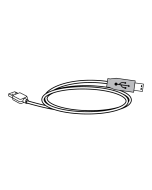
- Use the included USB-C to USB cable.
- Plug into the speaker’s DC Power Input and a powered USB port or adapter.
- Initial charge time: approximately 4–5 hours.
Charging indicator:
- Flashing red = Charging
- Solid red = Fully charged
Can I charge my phone with this speaker?
Yes, in emergency situations. The speaker has a DC Power Output, but it is not a full power bank. Charging capacity is limited and intended for emergency use only.
How do I turn voice prompts on or off?
Press the Power/Play/Pause button three times to toggle voice prompts ON or OFF.